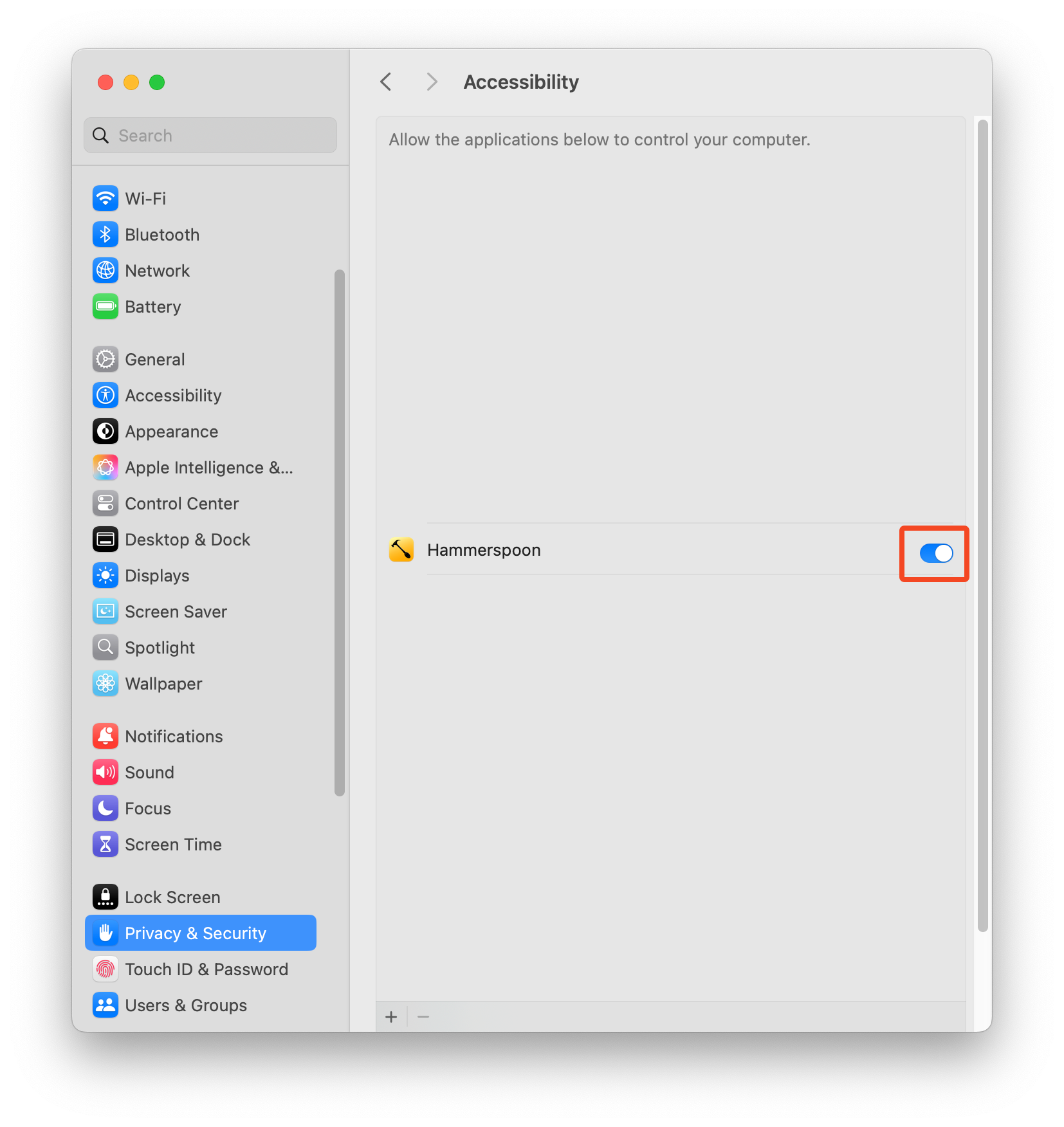
CommandSmith is a menu bar agent. If a shortcut or window action does not respond after installing, check Accessibility permission first.
Install the app
Download the latest DMG, drag CommandSmith into Applications, then launch it from Applications. Keeping it in Applications avoids app translocation issues and makes future updates reliable.

Grant Accessibility permission
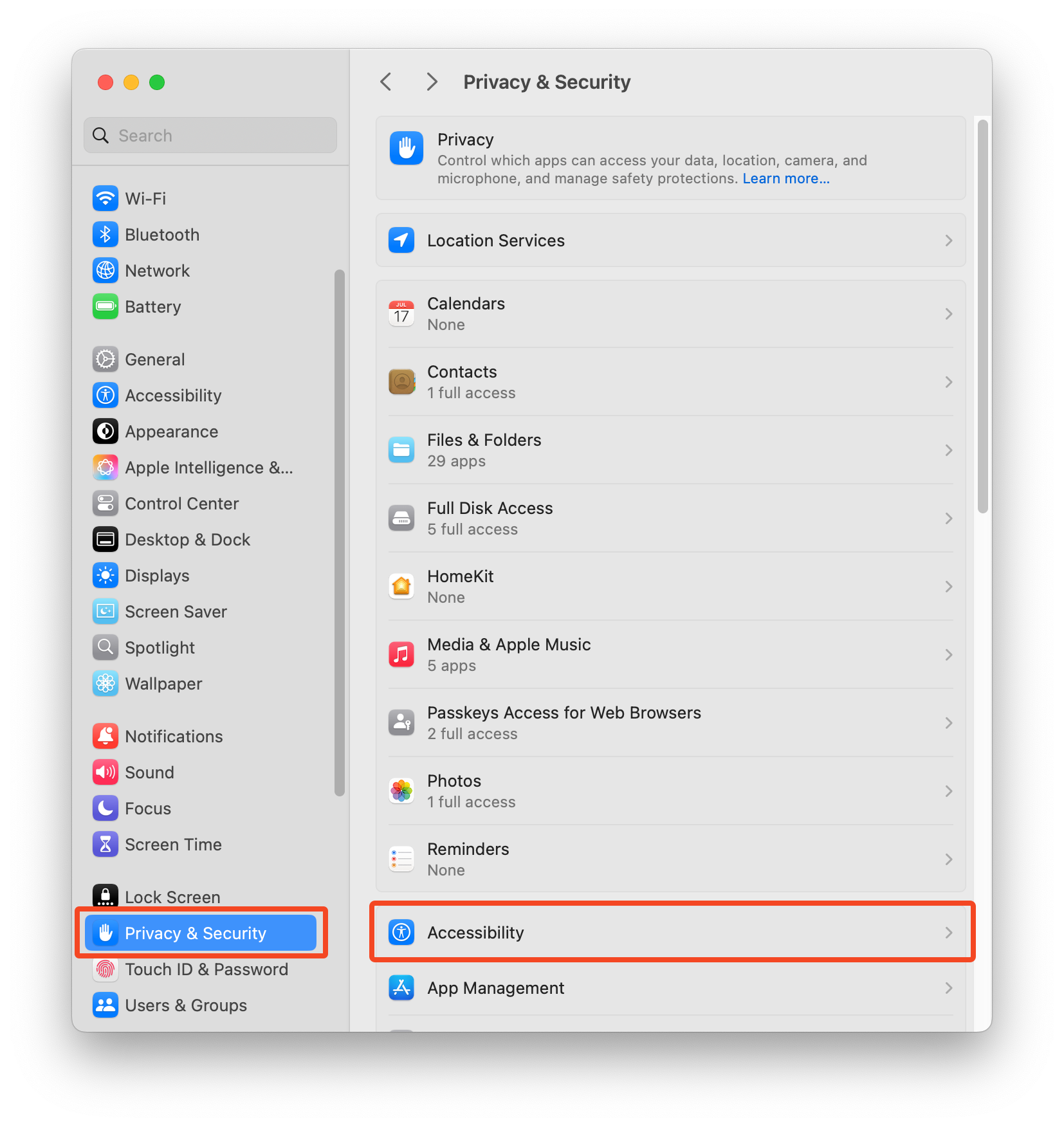
CommandSmith needs Accessibility permission for global hotkeys and window movement. Open System Settings, go to Privacy and Security, then Accessibility, and enable CommandSmith.
Confirm the menu bar agent
After permission is granted, the menu bar icon becomes your anchor for settings, updates, and quitting the app. The default palette shortcut is Option-Space.